Statistical Analysis
The Statistical Analysis tab provides tools for exploratory and hypothesis-driven analysis of MSI dataset. It combines data visualization with statistical tests, enabling users to explore molecular patterns without requiring external software.
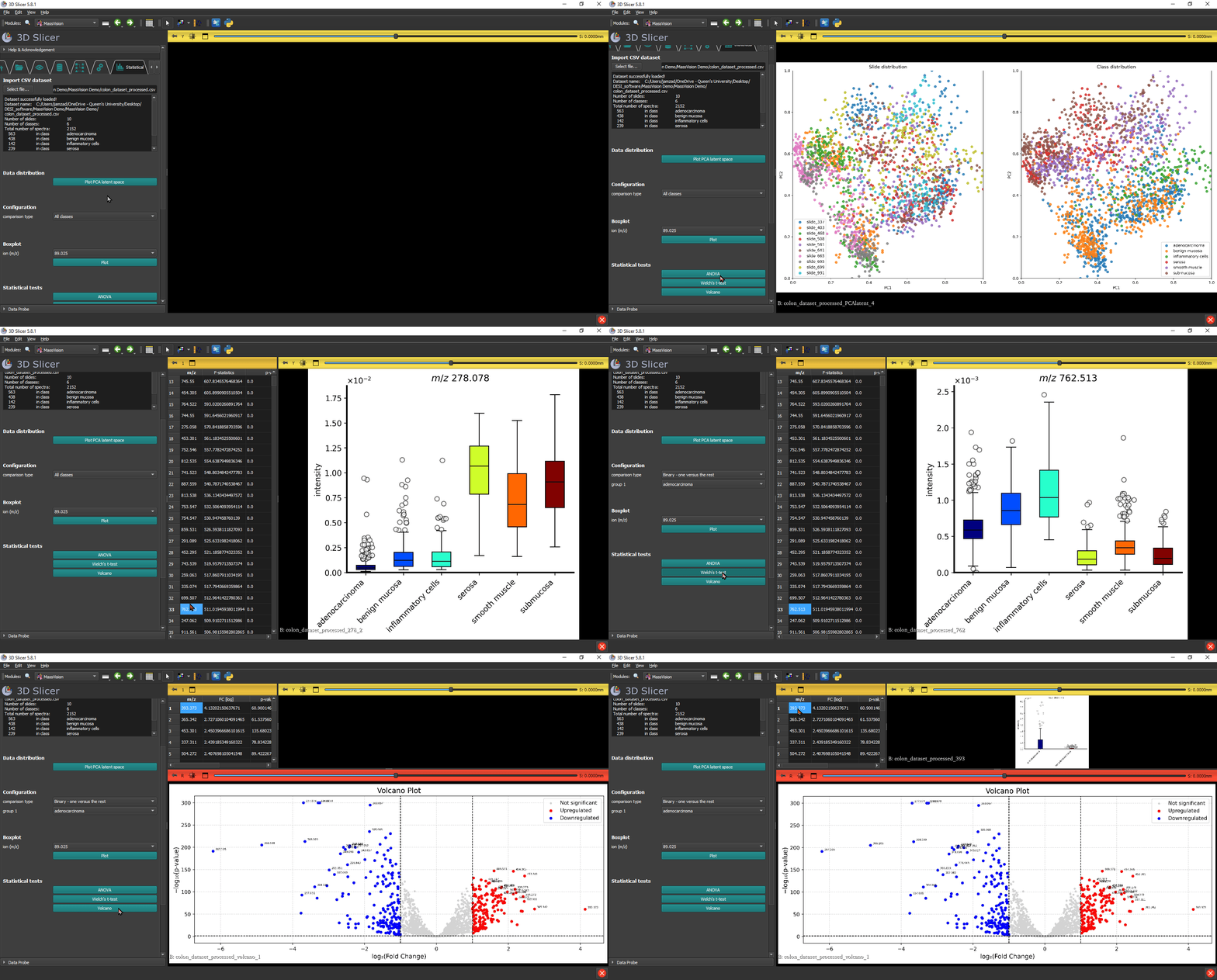
Data distribution
- Button: Plot PCA latent space
Builds a PCA view of the dataset’s latent space to inspect global sample distribution and clustering. The scatter plot is color coded both for slides and class label. The generated image of scatter plots will also be saved to the same path as the imported CSV dataset.
Configuration
- Dropdown: comparison type
Choose how groups are compared for downstream plots and tests:
All classes – analyze all available classes together.
Binary – one versus the rest – compare one selected class against all others.
Binary – two classes – pairwise comparison between two selected classes.
Boxplot
- Dropdown: ion (m/z)
Select the m/z of the ion of interest.
- Button: Plot
Shows a boxplot of the selected ion’s intensities across the groups defined by comparison type.
Statistical tests
All statistical test functions not only generate plots but also produce an interactive results table of ions ranked according to the relevant test statistic. Each row in the table corresponds to an ion (m/z value). Clicking on an entry automatically generates the boxplot of that ion.
- Button: ANOVA
One-way ANOVA across multiple classes (can be used with all comparison type configurations).
- Button: Welch’s t-test
Binary t-test that is robust to unequal variances (use with Binary configurations from comparison type).
- Button: Volcano
Produces a volcano plot combining effect size (fold change) and statistical significance to highlight relevant ions (use with Binary configurations from comparison type).